 SweepBoardby TRM
The evacuation never depends on the app
A fire is exactly when networks get busy, batteries are flat and people are stressed. SweepBoard is designed to help when it can, and to get out of the way when it cannot.
If one layer fails, the next one carries on
Live
Phones are online. Every tap appears on the controller board within a second or two. This is the normal case.
Offline
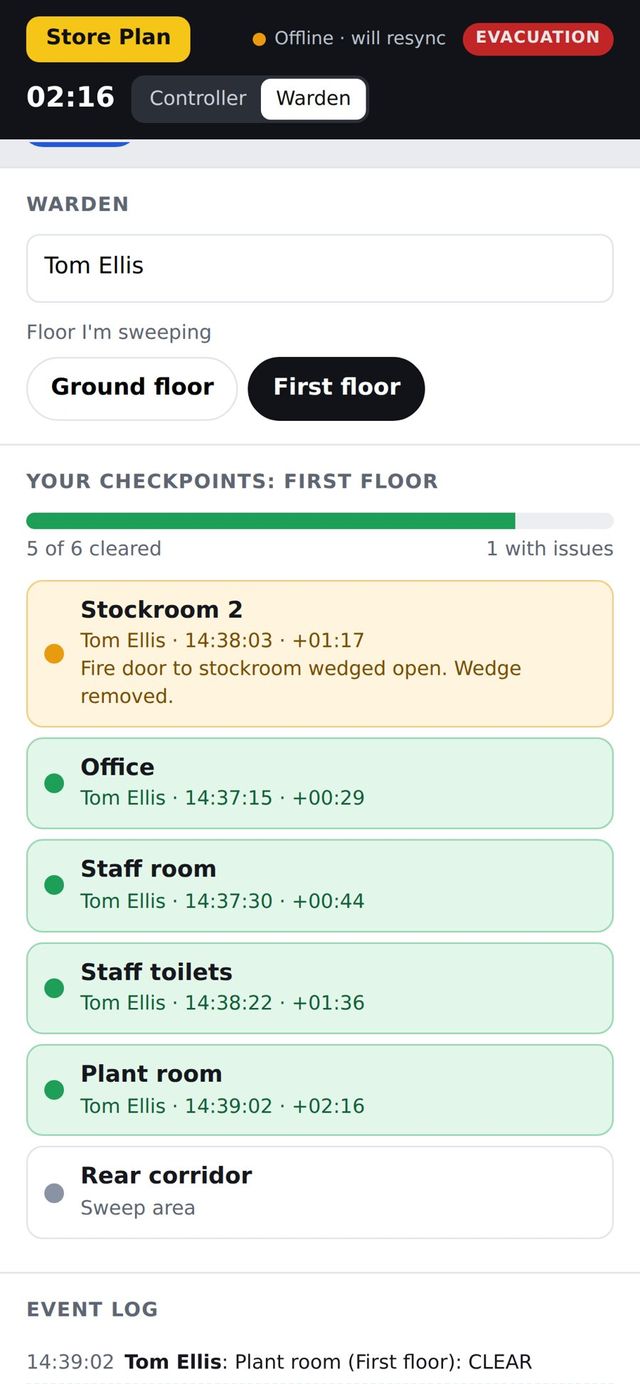
A phone loses signal. The warden keeps sweeping. Taps are held on the phone with their true times and sent as soon as the signal returns.
Paper
No phone, no power, no network. The warden takes the printed checklist for their floor and reports in person, as they always have.
Stairwells, basements and stockrooms do not stop the sweep
Dead spots are normal in real buildings. A warden should never have to stop and look for a signal.
- The sweep list is held on the phone once it has been opened
- Taps made offline are saved on the phone straight away
- Each tap keeps the time it was actually made, not the time it synced
- The header shows "Offline · will resync" so the warden knows
- Everything is sent automatically when the signal returns
- The controller can mark areas on a warden’s behalf from a verbal report
Printed checklists that match the app exactly
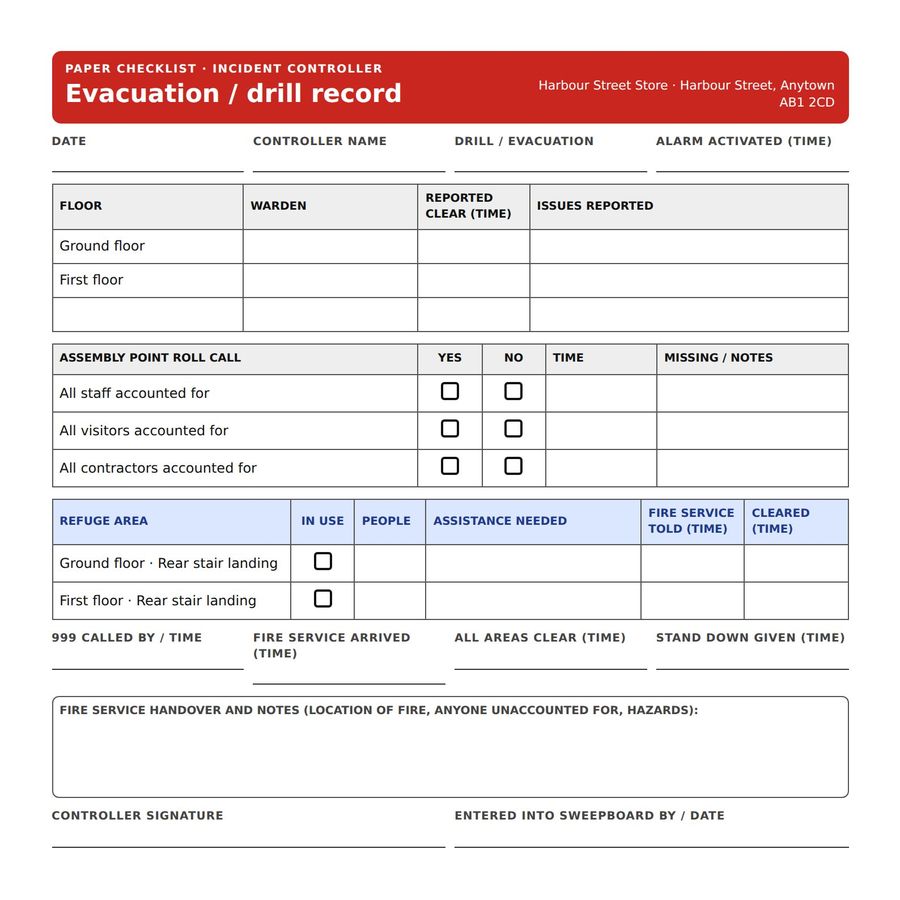
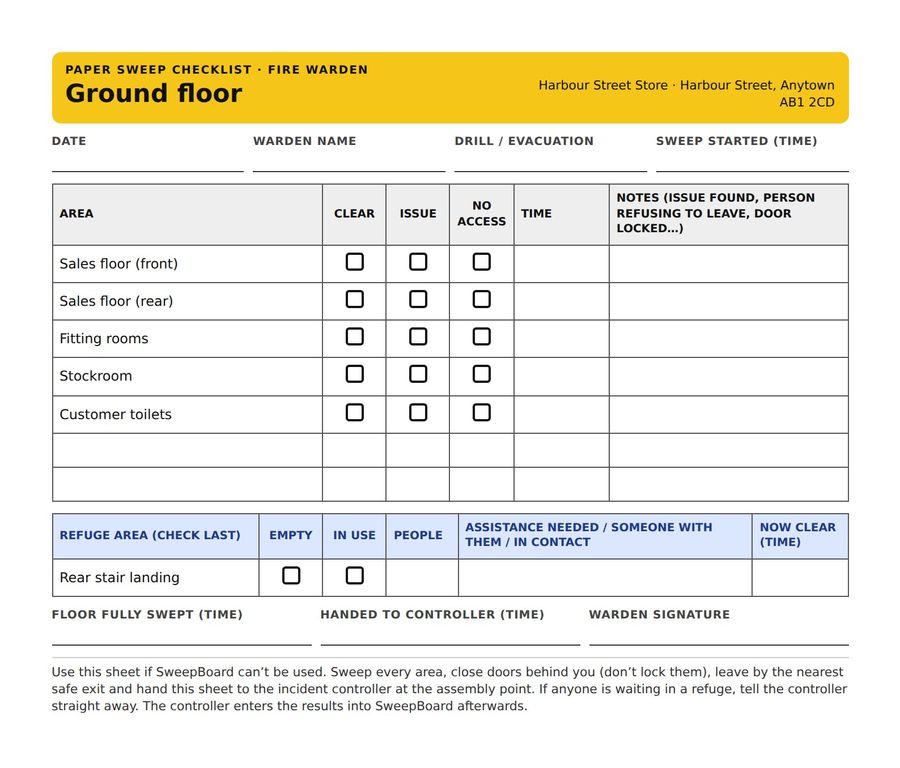
Every site can print a controller sheet and a warden sheet for each floor, straight from its own set-up. Same areas, same order, same refuge check.
- Keep them at the alarm panel, in the fire log book or in grab bags
- Reprint in seconds whenever the layout changes
- Space for names, times, issues and refuge details
- Use them for training new wardens
We recommend every site prints its checklists on the day SweepBoard goes live, and again after any change to the floor plan.
What phone alerts can and cannot do
We would rather you knew this now than found out in a drill.
What they do
- Reach every registered warden phone within seconds, on or off site
- Say which site and which floor to sweep
- Open the app in the right place with one tap
- Repeat to phones that have not responded
- Show a badge on the app icon while the incident is live
What they cannot do
- Override silent mode or a Focus setting, as government emergency alerts can
- Sound for longer or louder than the phone’s normal notification
- Reach a phone that is switched off or has no data connection
- Replace your fire alarm, which remains the signal to evacuate
These are limits set by Apple and Google for every web app. Our set-up guide shows each warden the phone settings that make alerts as prominent as possible, and the fire alarm is always the primary warning.
Small details that prevent big mistakes
No false all clear
The all-clear time is only recorded when every area has been marked and no refuge is still in use.
Drills cannot be mistaken
Drills are labelled as drills on every screen and every alert, in a different colour from a live evacuation.
Anyone can cover
Any warden can switch to another floor. Any controller can open the board on another device.
Nothing to install or maintain
No servers on site, no hardware, no app store updates to manage.
Trusted times
Phones correct their clocks against the server, so times from different devices line up.
Protected set-up
Floor plans, areas and records can only be changed by a signed-in administrator.
Test the fail-safes for yourself
In a pilot drill we will put a phone in flight mode and show you exactly what happens.