 SweepBoardby TRM
Everything an evacuation needs. Nothing it does not.
SweepBoard is deliberately focused. Every screen exists to answer one question: is the building clear?
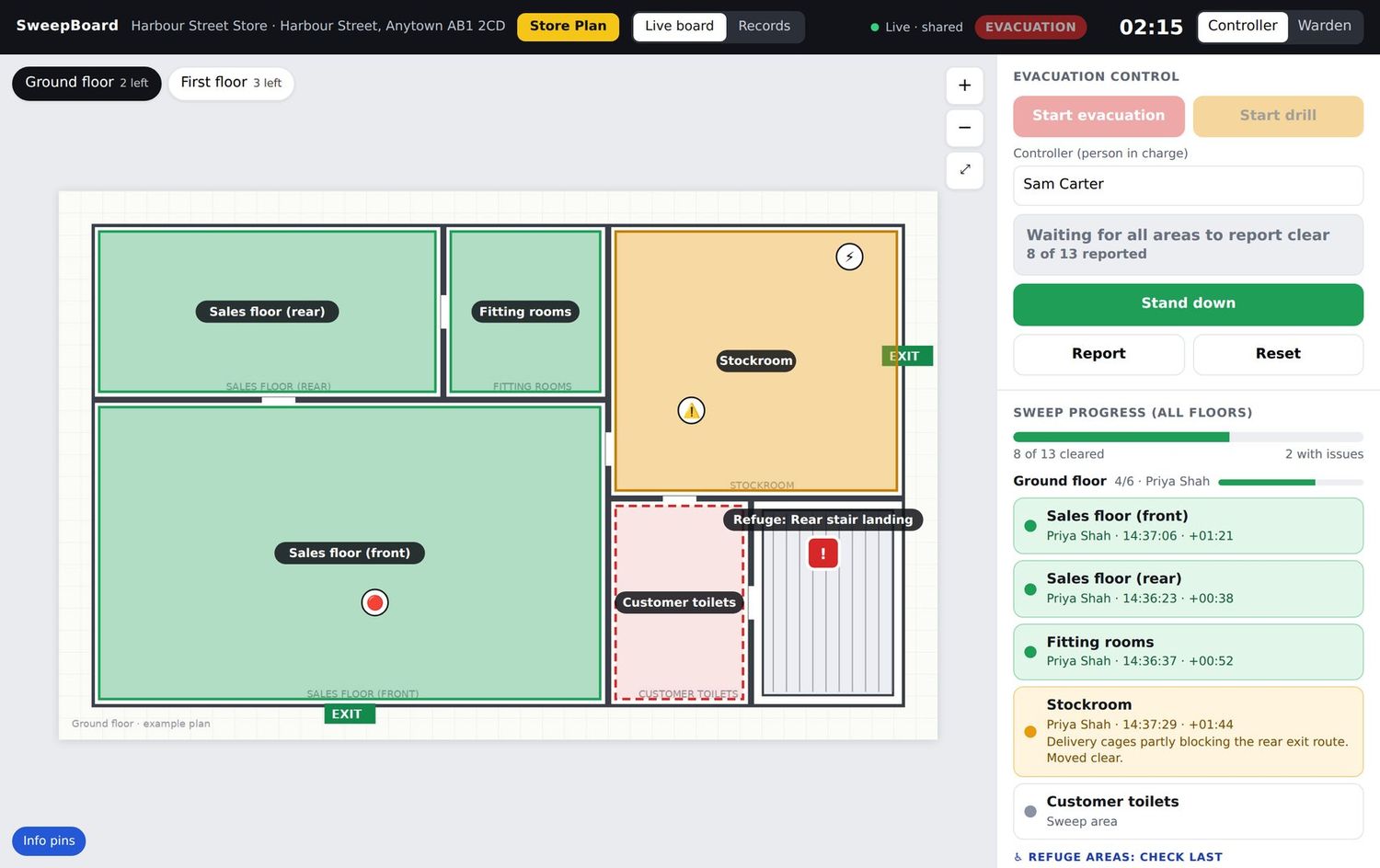
The whole building on one screen
Your own floor plans, with every sweep area drawn on them. Colour tells the story at a glance.
- Green for clear, orange for an issue, red for no access, grey for not yet checked
- Progress count for each floor and for the whole site
- Tap any area to see who checked it, when, and their note
- Live log of every action, newest first
- Markers for the alarm panel, isolation points and hazards
- Controllers can mark areas themselves if a warden reports in person
A sweep list built for a moving thumb
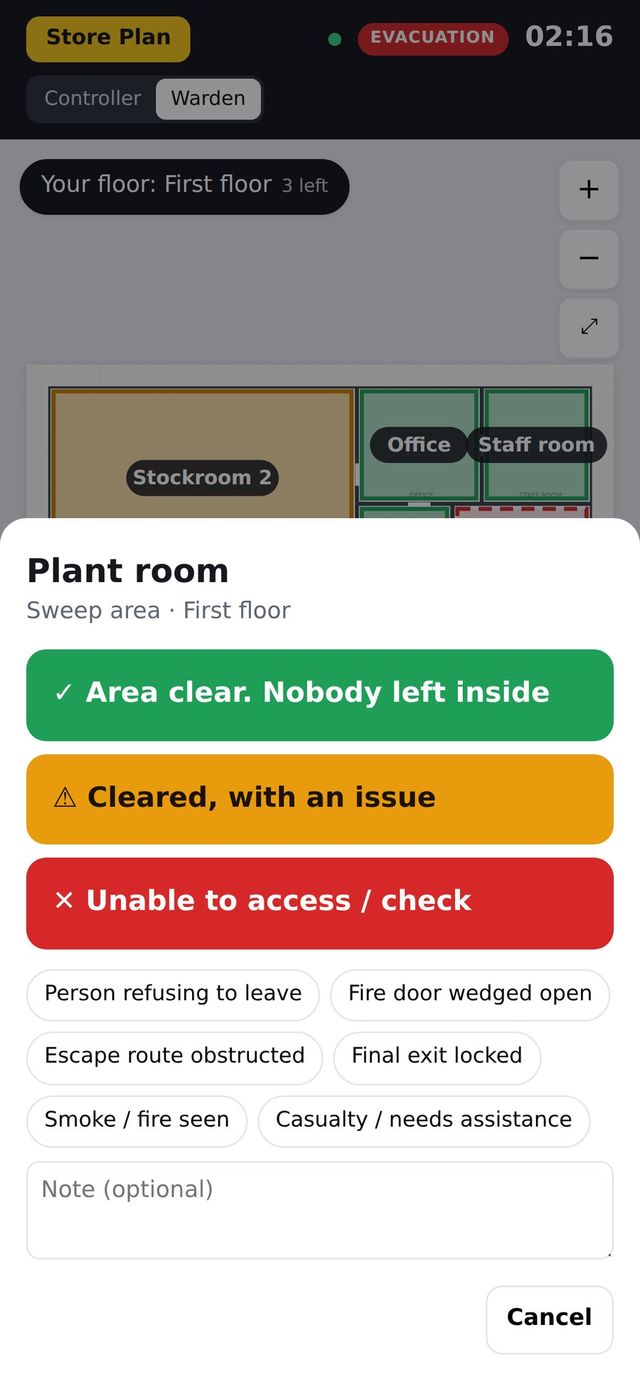
Large targets, plain words, high contrast. A warden never has to hunt for the right button.
- Areas listed in the order they should be walked
- One tap for Clear. Issue and No access take a short note
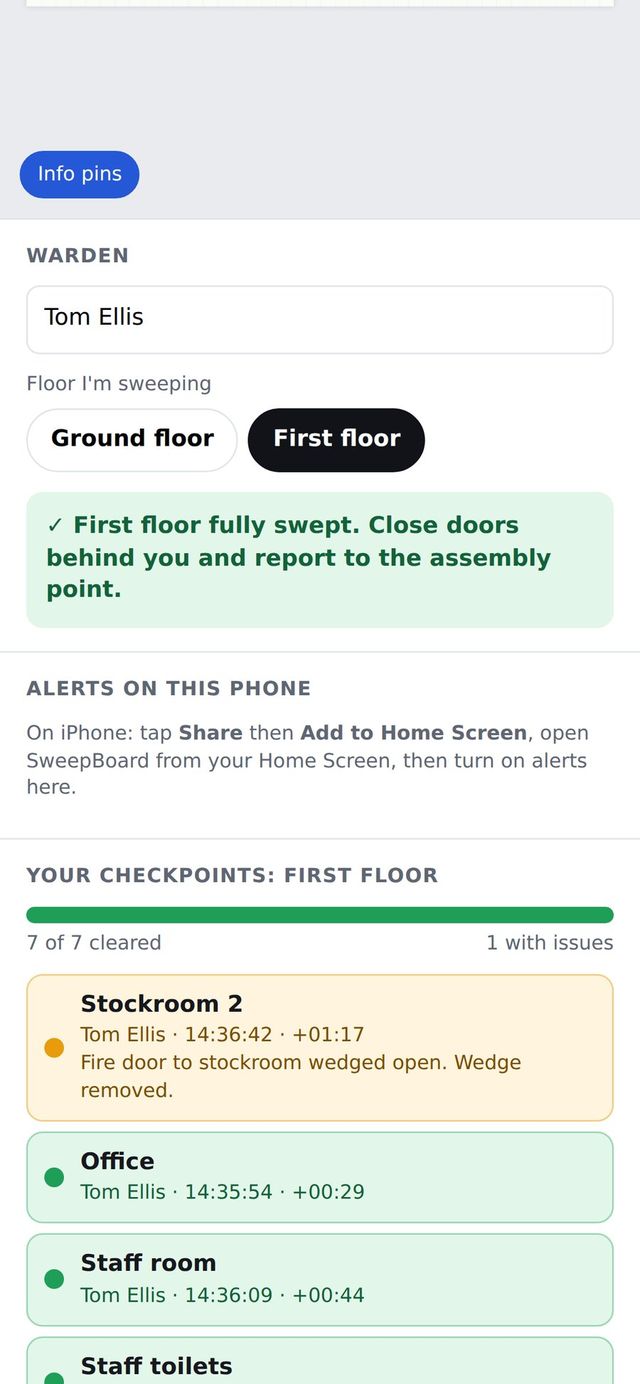
- Colour-coded rows show what has been done
- Switch floor in two taps to cover for a missing colleague
- Each action is recorded against the warden’s name
- A clear "floor complete" confirmation at the end
The right message on every warden’s phone
When the controller starts an evacuation or drill, every registered phone is alerted within seconds.
- The alert names the site and tells the warden which floor to sweep
- Tapping it opens SweepBoard on that floor
- Automatic reminders to any phone that has not opened the app
- A red badge on the app icon for as long as the incident is live
- A separate stand down alert when it is over
- The person who started it is not alerted on their own device
Fire evacuation: Harbour Street Store
Sweep FIRST FLOOR now. Tap to open your sweep list.
Fire drill: Harbour Street Store
Sweep GROUND FLOOR now. Tap to open your sweep list.
Stand down: Harbour Street Store
The evacuation has been stood down. Only re-enter when you are told it is safe.
Alerts support the fire alarm. They never replace it. See what phone alerts can and cannot do.
Nobody waiting for help goes unnoticed
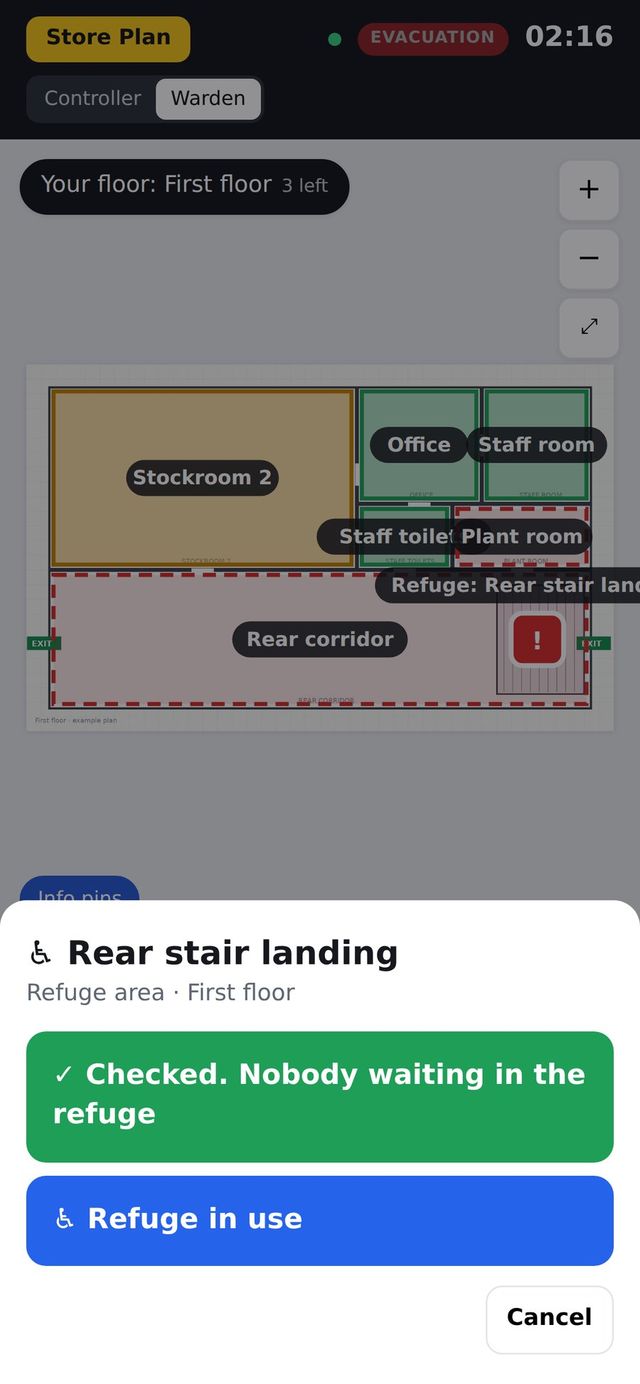
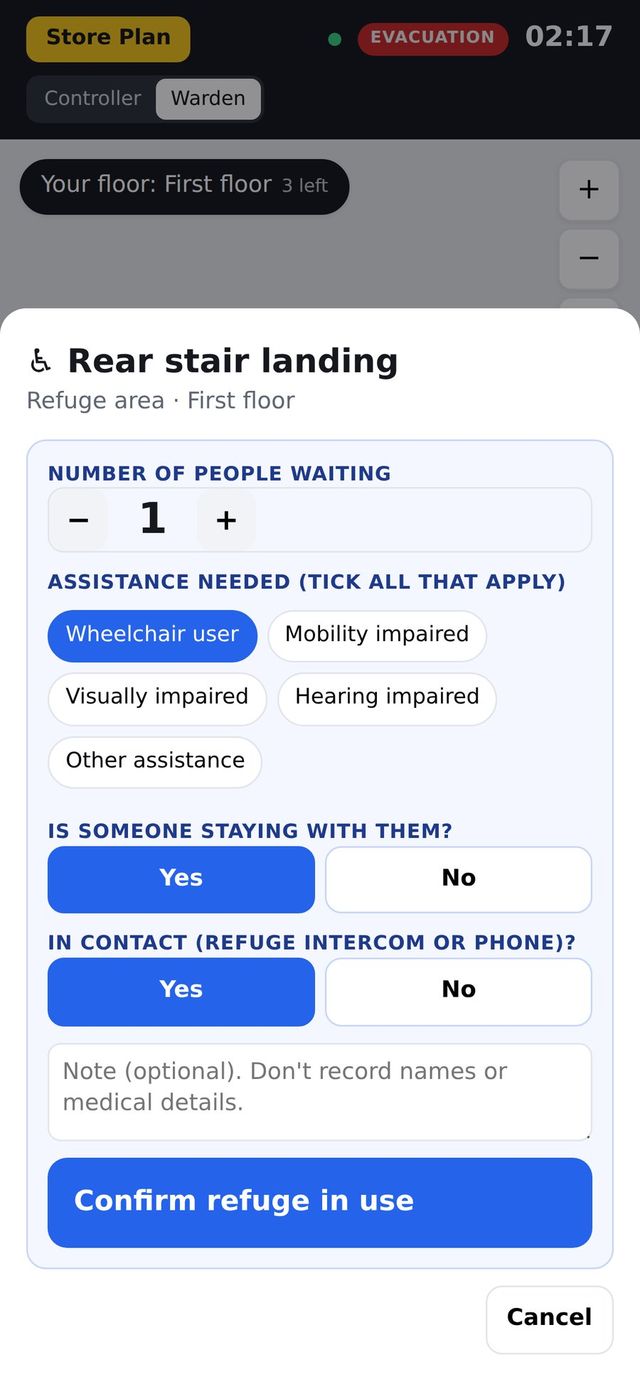
Each floor’s refuge is the final check on the warden’s list. If someone is there, the controller knows straight away.
- Report a refuge empty, or in use with the number of people
- Tick the assistance needed, such as wheelchair user or evacuation chair
- Record whether someone is staying with them
- The controller logs when the fire service were told and when people were brought out
- The all-clear time cannot be stamped while any refuge is in use
- No names or medical details are stored
Ready for the fire service when they arrive
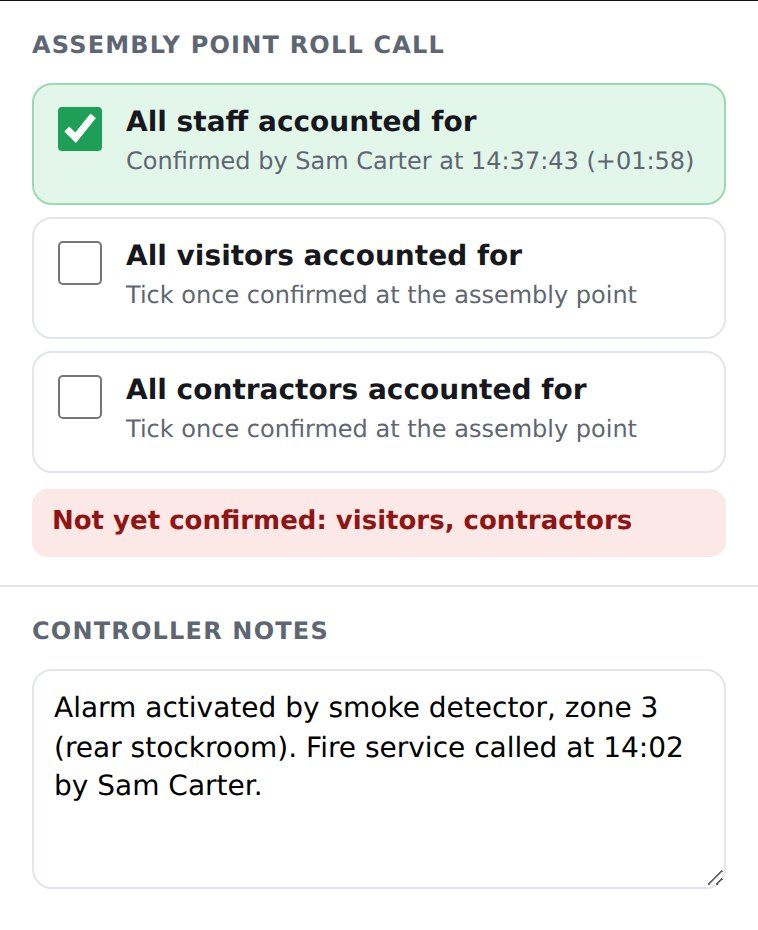
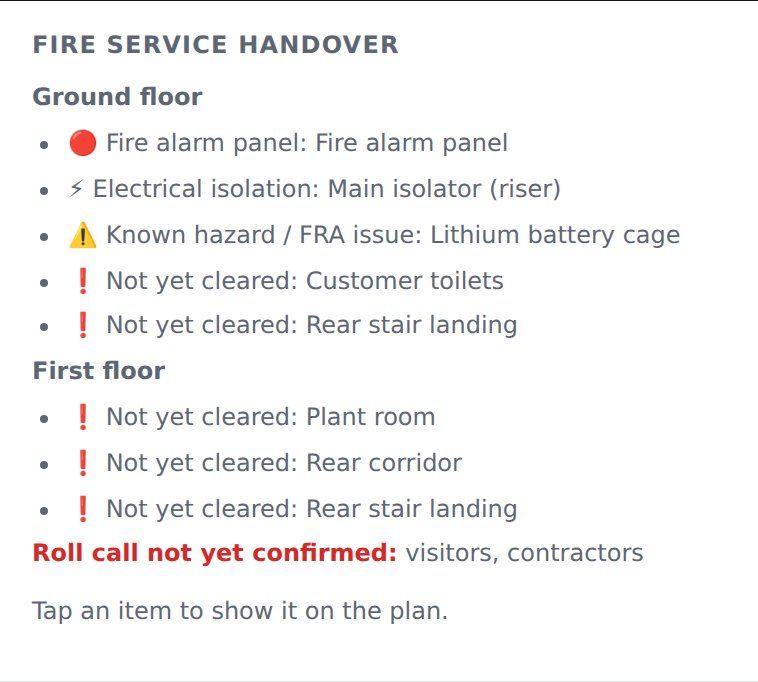
The controller’s side panel collects everything the officer in charge will ask for.
- Roll call confirmations for staff, visitors and contractors
- Time the fire service were called, and by whom
- Free-text notes: cause, location, anyone unaccounted for
- Refuges in use, with numbers and assistance needs
- Site hazards and isolation points from the emergency plan
The report is finished when the incident is
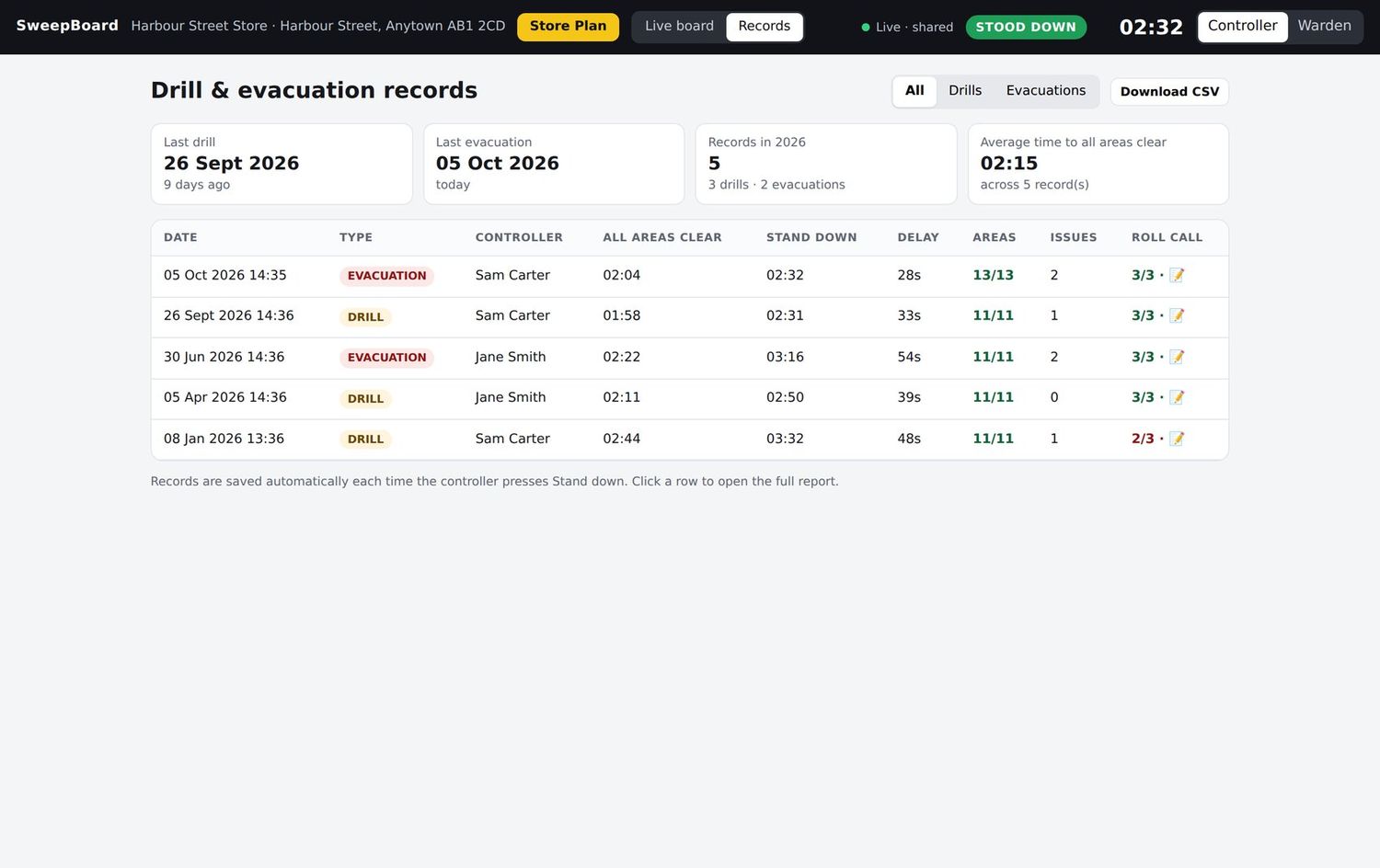
Every drill and evacuation is saved automatically, with nothing to write up.
- Start, all-clear and stand down times
- Area-by-area sign-off: who, when and what they found
- Full timeline of the incident
- Refuge and roll call outcomes
- Print or save as PDF in one tap
- History for each site, with export to CSV
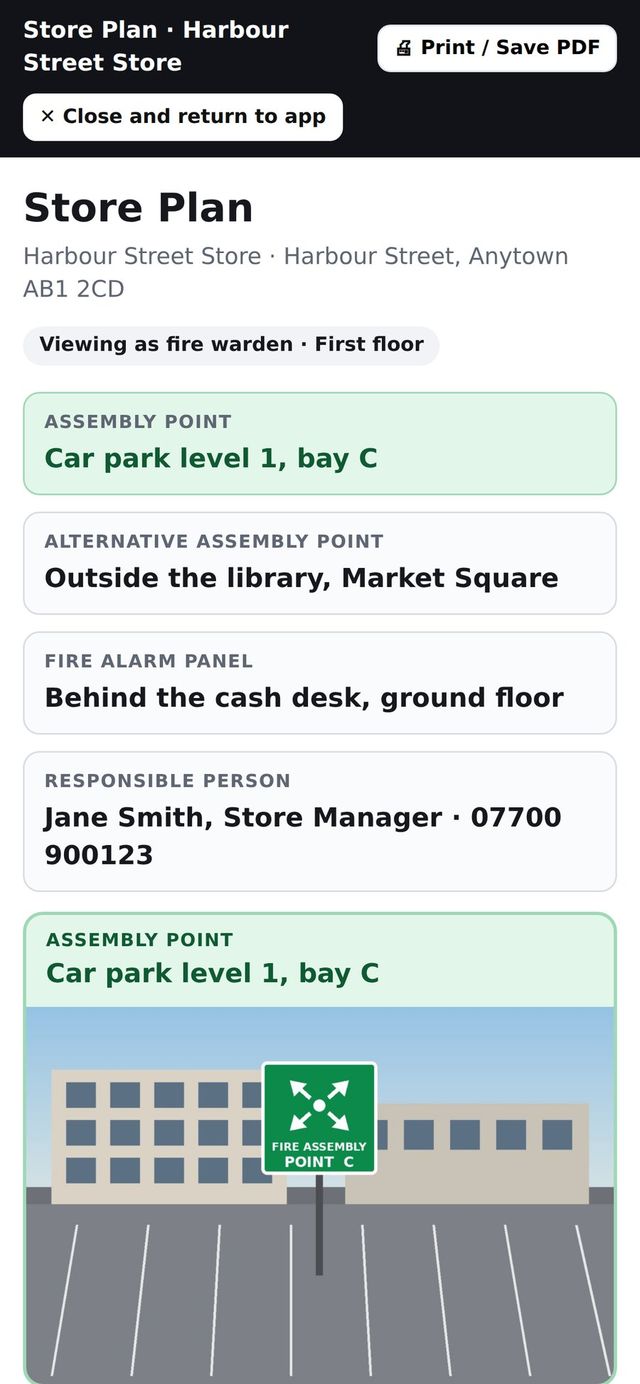
The emergency plan, where people will look for it
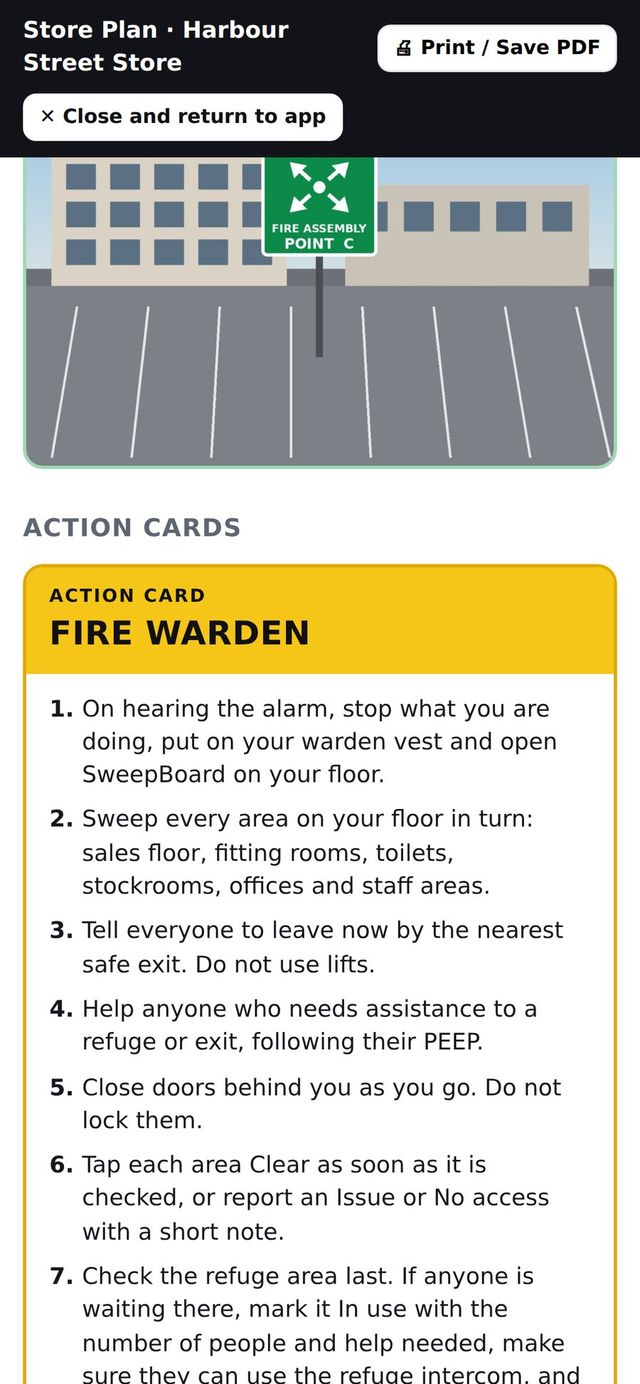
One button, on every screen, opens the site’s emergency information and the action card for the person’s role.
- Assembly points, with a photo so new starters know exactly where to go
- Alarm panel location, exits, refuges and fire-fighting equipment
- Isolation points, hazards and landlord arrangements
- Step-by-step action cards for controllers and wardens
- Key contacts for the site
- Edited by your administrator, updated on every phone instantly
Simple to set up. Simple to keep right.
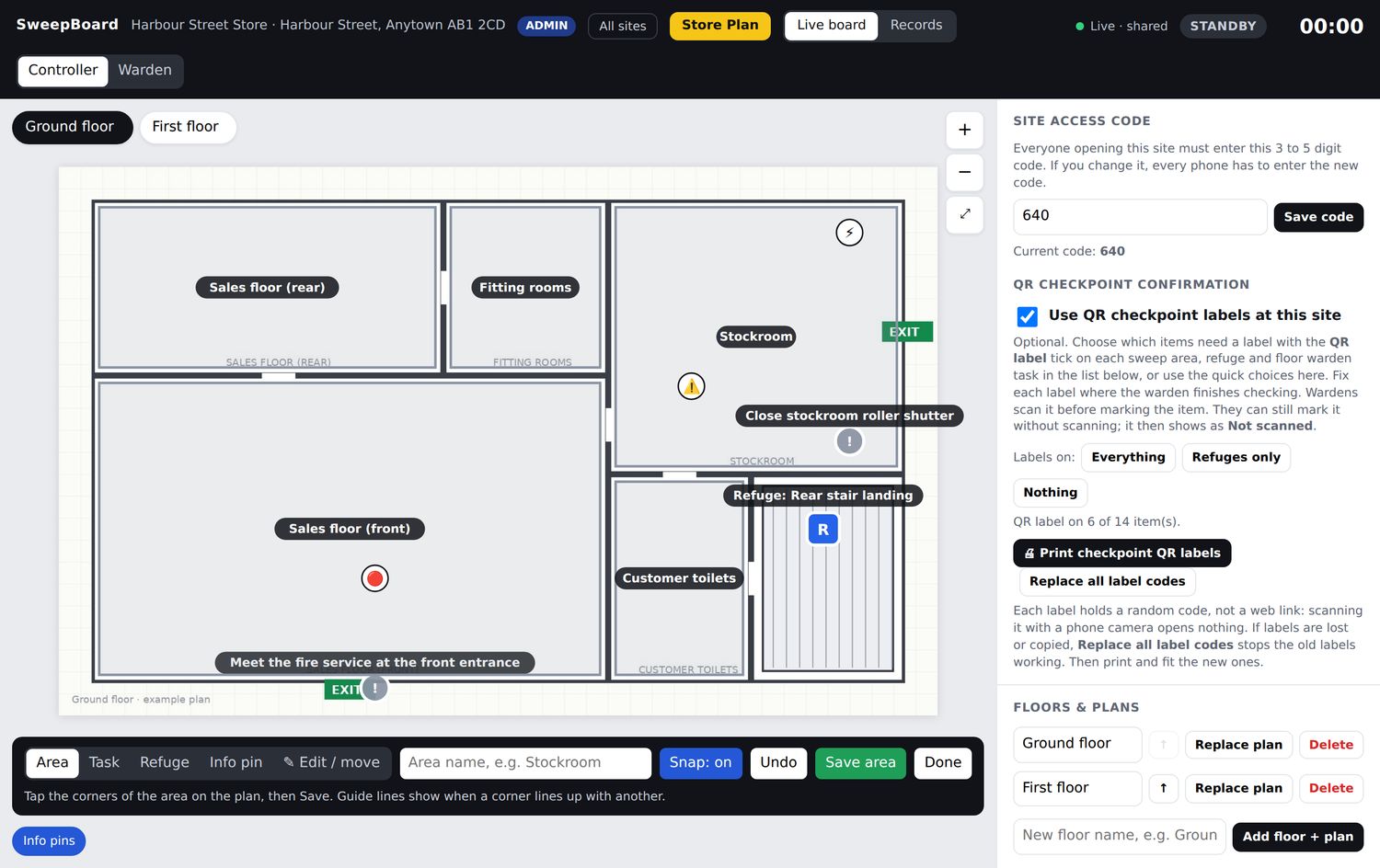
Floor plan editor
Upload a plan and draw areas on it. Crosshair, alignment guides and editable corners make accurate shapes easy.
Drag to set sweep order
Put areas in the order a warden should walk them. Refuges always stay last.
QR posters
Print an A4 poster for each floor and one for controllers. Scan to open the right view.
Paper checklists
Print matching paper sweep sheets for every floor as a fallback.
Multi-site
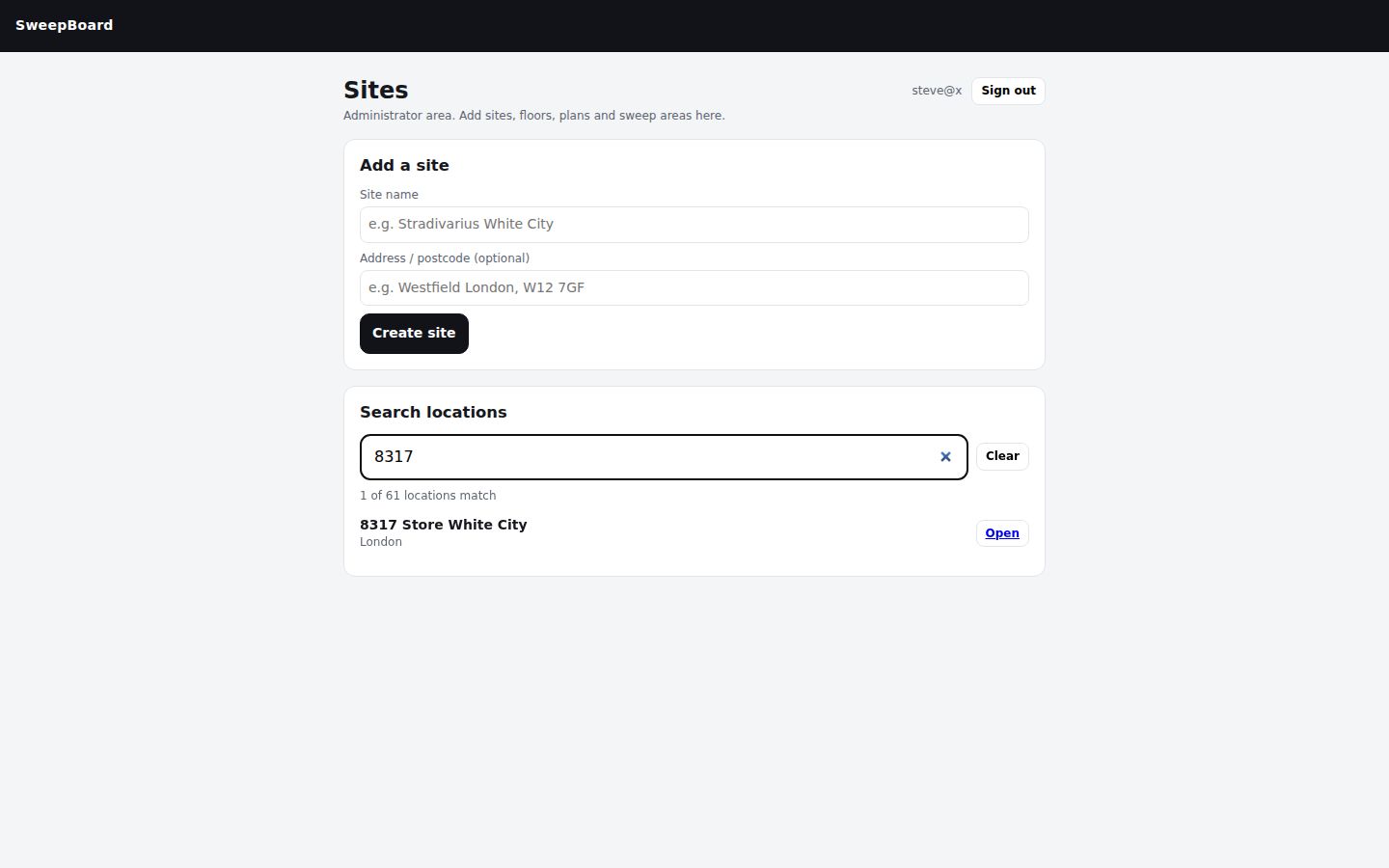
A searchable list of all your sites. Each has its own plans, wardens, history and emergency plan.
Admin-only changes
Only signed-in administrators can change set-up or delete records.
See it run on your own floor plans
Book a 30-minute demo, or pilot SweepBoard on one site with a real drill. We set it up. You judge it on the result.